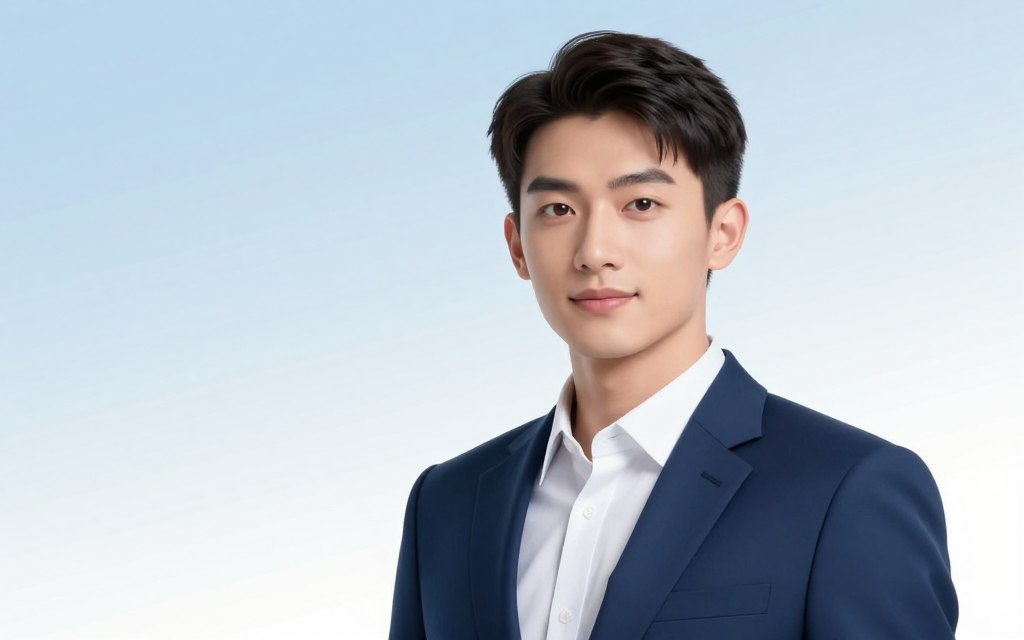

A sharp, professional photograph is key for your digital presence. It helps build trust on sites like LinkedIn and corporate websites.
But, traditional photoshoots come with big challenges. They are pricey, take a lot of time, and can make many professionals feel uneasy.
Modern tech offers a great solution. An AI headshot generator is a game-changer. It uses smart algorithms to make amazing, corporate-ready portraits from just a few clicks.
This method is quick, affordable, and lets you have full control. This guide will walk you through how to use this tool. You’ll get a polished, consistent look for all your professional needs.
Understanding AI-Generated Business Photography
AI tools have made high-quality business portraits more accessible. This change has made it easier to create a visual identity that’s both polished and personal. It’s a big step forward, removing traditional barriers.
This new approach combines creative direction with technical skills. You can now control both aspects easily.
What Are AI Business Photos?
AI business photos are made by algorithms. They use huge datasets of images to create portraits.
You give a text description and some reference pictures. The AI then makes original, realistic images of you in a professional setting.
These images are not just filters or edits. They are completely new, giving you a level of customisation never seen before.
The Evolution from Traditional Headshots
For years, getting a professional headshot was a big deal. You had to book a session, travel to a studio, and choose from a few options. Then, you’d wait days or weeks for the final photos.
This process was expensive and hard to manage. AI has changed all that.
| Aspect | Traditional Studio Photography | AI-Generated Business Photography |
|---|---|---|
| Primary Cost | High: Photographer’s fee, studio hire, possible stylist. | Low: Subscription or per-image fee for an AI tool. |
| Time Investment | Days to weeks: booking, shooting, editing, and delivery. | Minutes to hours: generation and final tweaks. |
| Creative Flexibility | Limited by physical studio props, locations, and time. | Virtually unlimited: any setting, attire, or lighting can be described. |
| Iteration Speed | Slow: reshoots are costly and time-consuming. | Instant: generate dozens of variations from a single prompt. |
This change gives you more power. You’re not just the subject; you’re the director.
Key Advantages for Professionals
Using AI for your business photos brings two big benefits. It solves the main problems of traditional photography.
Cost and Time Efficiency
AI makes things much cheaper. Instead of spending hundreds or thousands, you can get great photos for less.
Tools like HeadshotPro can give you a set of edited professional AI photos in just a few hours. Some services can even make a headshot in under 30 seconds.
This means no more scheduling headaches, travel, or long waits. You can have a new profile image ready in a day.
The ability to try different looks quickly is a game-changer. You can have a casual look for LinkedIn, a formal suit for your website, and a creative background for speaking engagements—all in one go.
Unmatched Creative Control
AI photography really stands out here. You’re not limited by what’s in a physical space. Want to be in a Tokyo office or a London co-working space? Just describe it.
You can ask for specific details like the style of your blazer or the light in the background. This ensures every photo supports your brand.
With AI, you can tweak your appearance to perfection. This is hard to do in a live shoot. It lets you create your ideal professional image.
How to Do AI Business Photos: The Core Principles
AI business photography needs two key things: a clear brand persona and a true commitment to authenticity. Without these, using an AI tool can lead to poor results. These principles guide your choices, from reference photos to AI portrait prompts, to create a unified professional image.
Defining Your Professional Brand Persona
Your brand persona is the image you want to show in your professional life. Are you a trusted leader, a creative thinker, or a friendly advisor? This choice is the foundation of your visual brief and every decision after.
Start by asking important questions. What industry do you work in? Who do you want to reach? What feeling do you want to create—respect, curiosity, or confidence? Your answers will help you find the right visual style.
For example, a corporate leader might choose a sharp, simple look with formal clothes and a neutral background. A creative director might prefer bold lighting, casual clothes, and a space that shows innovation. An editorial style, used by thought leaders, might have dramatic, magazine-like settings.
The table below shows common professional personas to help you decide:
| Professional Persona | Key Traits to Project | Recommended Visual Cues |
|---|---|---|
| Corporate Executive | Authority, Trustworthiness, Leadership | Formal business attire, clean studio backdrop, confident and direct gaze, even professional lighting. |
| Creative Innovator | Visionary, Original, Forward-thinking | Smart-casual attire, textured or contextual background (e.g., studio, modern office), creative lighting, a more engaged expression. |
| Approachable Consultant | Relatable, Knowledgeable, Supportive | Business-casual wear, warm and inviting background (e.g., café, cosy office), soft smile, open body language. |
The Importance of Consistency and Authenticity
After setting your persona, focus on consistency and authenticity. Consistency makes sure your image matches your other branding, creating a professional look everywhere you’re seen.
Authenticity is about being true to yourself. It’s not about looking exactly like your passport photo. The goal is to have an image that feels real and true to your professional self. This avoids the “uncanny valley” feeling.
Good preparation is key. Uploading many clear, high-quality reference photos is important. These photos help the AI capture your true likeness and essence, not just a generic face.
Your authentic image should reflect who you are and how you work. It should be an improved version of your real professional self, not a fake. This honest approach makes your photo credible and builds trust with your audience, preparing you for effective AI portrait prompts next.
Essential Preparation Before You Generate
Think of preparation as the blueprint that guides the AI to produce exactly what you envision. Rushing into generation without a plan often leads to wasted time and mediocre results. This phase is about giving the artificial intelligence a crystal-clear directive.
Your success hinges on two pillars: a detailed visual brief and a robust set of reference photos. Neglecting either will compromise your final image’s professionalism.
Crafting Your Detailed Visual Brief
A visual brief is a detailed description of your desired outcome. It goes beyond a simple prompt. You are art directing your own portrait. This document should cover every aesthetic element.
Be specific. Instead of “professional photo,” describe the mood, setting, and your appearance in detail. This precision is what separates a generic output from a bespoke asset.
Setting the Scene: Backgrounds and Environments
The background sets the tone. Do you want a sleek office, a neutral studio backdrop, or an urban setting? Your choice communicates context.
For example, specifying “blurred New York City street background” creates a dynamic, professional feel. Consider what environment aligns with your industry. A tech founder might opt for a modern co-working space, while a consultant may prefer a classic library setting.
Always describe the background’s style and complexity in your brief. This directs the AI accurately.
Determining Attire, Grooming, and Style
Your clothing and grooming are key. They define your professional brand. Specify colours, fabrics, and fit. For instance, “crisp white crew-neck t-shirt under a tailored blazer” is a strong, modern look.
Do not forget details like jewellery, watches, or glasses. Hairstyle and facial hair should be described precisely. This level of detail ensures consistency across multiple generated images.
Your visual brief should leave no room for AI guesswork.
Gathering Quality Reference Images
This is the most critical technical step. The AI needs to understand your unique likeness. You will typically need to upload 15 or more high-quality photos of yourself.
These images train the model. Poor references lead to unrealistic or distorted outputs. Common user pitfalls include using photos with extreme head tilts, wearing sunglasses, or having inconsistent cropping.
Follow this checklist to assemble an optimal reference library:
| Criteria | Description | Common Pitfall to Avoid |
|---|---|---|
| Lighting | Use well-lit, front-facing photos. Natural, even light is best. Avoid harsh shadows or backlighting. | Dark, shadowy photos confuse the AI on facial structure. |
| Resolution | High-resolution images (clear and sharp). Blurry photos provide poor data. | Using low-quality, pixelated images from social media. |
| Angles & Expressions | Provide variety: front-on, slight left/right turns, smiling, neutral. This gives the AI a 3D understanding. | Submitting 15 nearly identical selfies from the same angle. |
| Background Simplicity | A plain, uncluttered background helps the AI focus solely on your face. | Busy backgrounds with other people or distracting objects. |
| Cropping & Framing | Frame from mid-chest up, with your head centred. Ensure your full face is visible. | Cropping that cuts off your forehead, chin, or sides of your face. |
Treat this photo shoot with seriousness. The better your inputs, the less AI photo editing you will need later to fix fundamental flaws. This principle of quality data input is similar to building an AI chatbot; the training material defines the output’s intelligence.
Once your brief is written and your reference album is complete, you are ready to generate. This preparation transforms you from a passive user into an active director of your professional image.
Choosing the Right AI Image Generation Tool
The market is full of AI image generators. Finding the right one for your business headshot AI needs is key. The tool you pick affects the image’s look, style, and quality. This guide will help you understand the top options, from creative engines to portrait services.
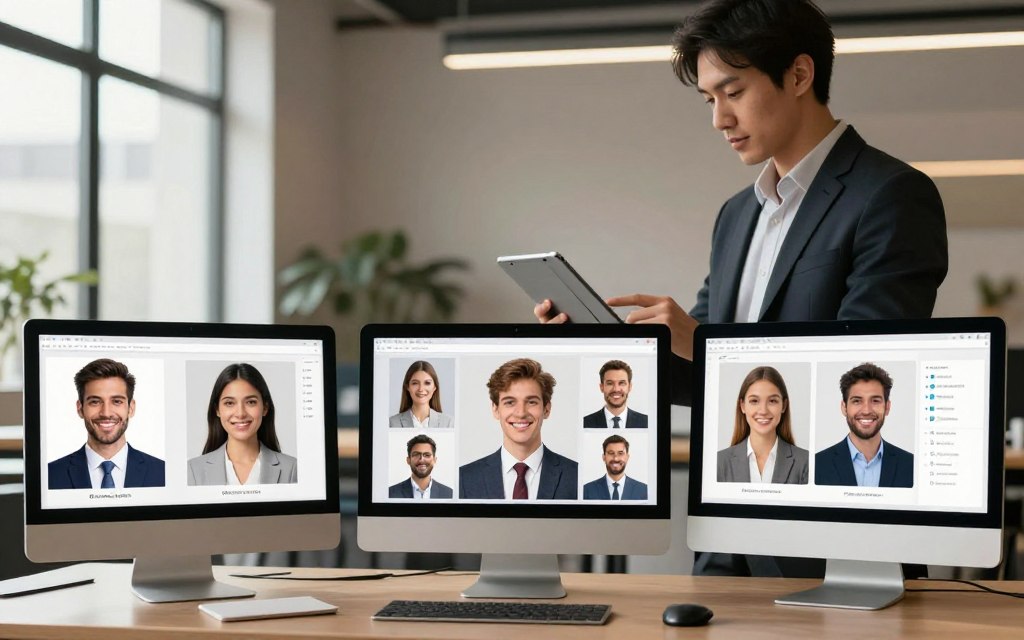
What you want most will guide your choice. Do you need top-notch artistic quality, easy prompt understanding, smooth editing, or a simple portrait service? We’ll look at what each major tool offers.
Midjourney: For Superior Artistic Detail and Realism
Midjourney is known for its high-quality, artistic images. It excels in realistic textures, lighting, and composition. This makes it great for business headshots that look like they were taken by a studio photographer.
It’s accessed through Discord, which can be a bit tricky to get used to. You pay a monthly fee for a set number of images. Its strength is in detailed prompts, letting you control the image’s every aspect.
DALL-E 3 (via ChatGPT or Microsoft Copilot): For Nuanced Prompt Understanding
DALL-E 3 is integrated into ChatGPT and Microsoft Copilot. It’s amazing at understanding complex prompts. Describe a scene, and it will try to capture every detail. This is perfect for creating specific professional scenarios.
Its images are coherent but might look more like illustrations than photos. Its big plus is how easy it is to use, thanks to its integration with these services.
Adobe Firefly: For Seamless Photoshop Integration
Adobe Firefly is for those already using Adobe tools. It’s made to work with Photoshop. You can create a headshot and then edit it within Photoshop without leaving the app.
This saves a lot of time for professionals. You can change backgrounds, align headshots, and more. Firefly uses credits, and its images are safe for business use.
Specialised Portraiture Tools: Aragon and Try It On AI
Tools like Aragon AI and Try It On AI are made just for headshots. You upload selfies, and they create professional headshots in different styles. This makes it easy to get a consistent look without worrying about prompts.
These services are great for teams or individuals wanting a uniform look. They offer a fixed price for a set of headshots, unlike subscriptions.
| Tool | Key Strength | Best For | Pricing Model |
|---|---|---|---|
| Midjourney | Artistic detail & photorealistic rendering | Professionals wanting studio-quality, highly customisable images | Monthly subscription |
| DALL-E 3 | Natural language prompt understanding | Ease of use and conceptualising specific scenes quickly | Often included in ChatGPT Plus/Copilot Pro subscriptions |
| Adobe Firefly | Direct integration with Photoshop for editing | Designers and marketers needing to edit and brand images post-generation | Credit packs or included in Creative Cloud plans |
| Specialised Tools (Aragon, Try It On AI) | Automated headshot generation from user photos | Teams or individuals seeking a quick, uniform portrait solution without prompt engineering | One-time fee per headshot pack |
This table shows the main differences. For a unique business headshot AI, choose Midjourney or DALL-E 3. For ongoing projects, Adobe Firefly is the best. For quick portraits, go for a specialised tool.
Mastering the Art of the AI Prompt
AI image generation is different from traditional photography. Instead of directing a person, you guide the algorithm with words. The prompt is your creative control. Learning to structure it well is key to getting professional AI branding photos that show your true self.
Prompt Structure for Professional Results
A good prompt is like a detailed instruction. It starts with the main subject and then adds style and technical details. A well-made prompt has these parts: Subject + Context + Style + Technical Specifications.
Subject Description: Demeanour, Pose, and Expression
This part is like a character sketch. Be clear about the person’s attitude, posture, and smile. Instead of “professional,” say “confident and approachable with a warm smile.”
For a “Corporate Classic” look, describe: “A professional woman in her 40s, exuding confident demeanour, standing in a power pose with a slight, genuine smile.” For a casual “Creative Professional” style, say: “A thoughtful individual looking slightly off-camera with a contemplative expression.” Source 3 suggests a prompt like “modern, approachable LinkedIn headshot,” which means a friendly, direct gaze and relaxed posture.
Stylistic Modifiers: Lighting, Camera, and Film Type
This layer makes the image professional. It’s where you add the photographic quality.
- Lighting: Choose the lighting setup. “Soft studio lighting” gives a flattering look, while “dramatic Rembrandt lighting” adds depth and a classic feel.
- Camera & Lens: Mentioning an “85mm lens aesthetic” is a pro-tip. This focal length gives pleasing facial proportions and beautiful background blur (bokeh), like high-end portrait photography.
- Film Type: Adding a film stock like “Kodak Portra 400” gives a specific colour palette and grain structure, adding an analogue, timeless quality to your digital image.
Common Prompt Mistakes to Avoid
Even with a good structure, simple errors can ruin your results. Watch out for these common mistakes:
- Being Too Vague: Prompts like “a business photo” give the AI too much freedom, leading to generic or bizarre results. Always add descriptive anchors.
- Using Contradictory Terms: Phrases like “happy but serious” confuse the model. Choose one primary emotional tone and reinforce it.
- Overcomplicating in One Sentence: Long, run-on sentences can cause the AI to miss key details. Use commas to separate clear concepts.
- Ignoring Negative Prompts: Most advanced tools allow you to specify what you don’t want. Use this to exclude common issues like “deformed hands,” “blurry,” or “over-saturated colours.”
- Neglecting the Background: Unless specified, the AI will generate a background. Describe a simple, professional setting like a “minimalist office” or “soft gradient backdrop” to maintain focus on you.
By carefully crafting each layer of your prompt and avoiding these common errors, you can get a base image that needs little editing. This precision is key to creating a professional library of AI branding photos.
Step-by-Step: Generating Your Base Image
This phase turns your ideas into a real image. It uses AI photography tools to make it happen. The aim is to get a good base image, not a perfect one right away.
Step 1: Inputting Your Refined Prompt and Parameters
Start by typing your final prompt into the tool’s interface. This could be Midjourney, DALL-E 3, or another platform. It’s when your idea starts to take shape visually.
Before you start, you’ll need to set some important details. These include:
- Aspect Ratio: Pick a standard size for portraits or a wider one for scenes.
- Style Parameters: Use options like ‘–style raw’ in Midjourney for a more realistic look, or ‘Photo’ in DALL-E 3.
- Exclusion Parameters: Some tools let you say what you don’t want, helping avoid clichés.
First, make four images. Think of it as a scouting mission to see how the AI gets your idea.
Step 2: Utilising Variations, Remixes, and Upscaling
Not every first try is perfect. AI’s strength lies in its ability to improve with each try. For any good image, use ‘Vary’ or ‘Make Variations’ to see new takes.
Some AI photography tools have a ‘Remix’ mode. It lets you tweak the prompt while keeping the image’s structure. This is useful for fine-tuning, as shown in our comprehensive AI image creation guide.
Once you’re happy with an image, it’s time to ‘Upscale’ it. This makes the image clearer and ready for professional use. Always upscale your final choice before editing.
Step 3: Selecting the Best Candidate Image
Choose an image that fits your brand well. It’s not just about the technical quality. It’s about how well it communicates your message.
Check your options against these points:
- Authenticity: Does the expression feel real and friendly?
- Technical Quality: Is the lighting good? Are there any odd details or backgrounds?
- Brand Alignment: Does the image match your brand’s style, colours, and mood?
Creating a contact sheet to compare your top images side-by-side can help you decide.
| Generation Step | Primary Action | Pro Tip for Efficiency |
|---|---|---|
| Input & First Batch | Enter final prompt and set aspect ratio, style, and quality parameters. | Generate 2-3 initial batches with slight prompt tweaks to explore different interpretations. |
| Variations & Upscaling | Use ‘Vary’ on promising images, then ‘Upscale’ the best variant. | In tools like Midjourney, use ‘Vary (Strong)’ for more dramatic changes and ‘Vary (Subtle)’ for minor refinements. |
| Final Selection | Compare upscaled candidates against your brand and quality checklist. | Zoom in to 100% to check for flaws in details like eyes, teeth, and jewellery before selecting. |
This generation phase is all about trying again and again. If you’re not happy with the first results, keep trying. The best results come from being patient and selective with your AI photography tools.
Refining and Editing Your AI Photo
To get perfect consistent AI headshots, editing is key. The first AI image is just a start. You need to use software to fix mistakes and add a professional touch.
This editing stage is like getting a suit tailored. It makes the AI’s work look polished.
Essential Adjustments in Adobe Photoshop or Affinity Photo
Adobe Photoshop and Affinity Photo are top choices for a reason. They let you control every pixel. Your task is to tweak, not change, the AI’s image.
Correcting Imperfections and AI Artefacts
AI often misses on small details. You might see odd eye colours, wrong jewellery, or “wonky” hands. Fabrics and makeup can also look off.
Use tools like the healing brush and clone stamp to fix these. Zoom in for small details. Saving time with actions or presets is great for similar errors in many images.
The table below shows common issues and how to fix them:
| Common AI Artefact | Recommended Correction Tool | Brief Action Guide |
|---|---|---|
| Strange hand anatomy (extra fingers, blurred lines) | Liquify Tool, Clone Stamp | Gently reshape fingers with Liquify. Use Clone Stamp to sample and repair blurred areas from other parts of the image. |
| Unnatural skin texture or “plastic” look | Healing Brush, Surface Blur Filter | Use Healing Brush on small blemishes. Apply a subtle Surface Blur on a low opacity to even out texture without losing detail. |
| Inconsistent or unnatural eye colour/size | Dodge & Burn, Selective Colour Adjustment | Dodge to brighten the iris, Burn to deepen the pupil. Use Selective Colour to adjust hues for a natural look. |
| Illogical background elements or merging | Pen Tool (for selection), Generative Fill | Make a clean selection of the subject. Use Generative Fill or content-aware fill to replace or clean up the background. |
Professional Colour Grading and Retouching
Colour sets the mood of your portrait. AI images can have odd colour casts. Use adjustment layers to fix this.
Choose colours that match your brand and look natural. Warm tones are often more welcoming. Retouching should be subtle. Aim to enhance, not erase.
Leveraging AI-Assisted Editing with Generative Fill
Modern editing tools use AI to help you. Adobe Photoshop’s Generative Fill is great for this. It’s perfect for making non-destructive edits.
It’s great for extending backgrounds, replacing objects, or changing clothing. This tool is key for keeping your portraits consistent. It saves time by fine-tuning without starting over.
For example, if one of your consistent AI headshots has a different jacket lapel, Generative Fill can fix it. This mix of AI and manual editing makes your portfolio look professional.
Achieving Consistency for Your Brand Portfolio
AI business photography shines when it creates a unified brand suite. A consistent portfolio shows professionalism, builds trust, and makes your brand easy to spot. This section helps you build a cohesive visual identity, beyond just one AI headshot example.
Creating and Re-using a Master Style Template
Start with a master style template for efficiency and uniformity. Think of it as a recipe for your AI image generator. It captures the core style that defines your brand.
Your template comes from a refined prompt formula. Analyse the prompt of a loved image to find key modifiers. Save these as a text document for future use.
Use this template for every new image to keep the style consistent. Whether it’s a formal headshot or a casual photo, the style remains the same. This creates a professional suite, not a mixed collection.
| Template Component | Description | Example Value for a Corporate Brand |
|---|---|---|
| Lighting Style | The quality and direction of light that defines mood and professionalism. | “Soft, diffused studio lighting, Rembrandt lighting pattern” |
| Colour Palette & Tone | Overall colour mood and saturation levels for visual cohesion. | “Desaturated, cool colour tones, corporate blue accent” |
| Camera Perspective | The angle and distance that frames the subject consistently. | “Medium close-up, eye-level camera angle” |
| Background Type | The setting or environment that complements without distracting. | “Minimalist grey studio backdrop, slight bokeh effect” |
| Output Reference | A link to a successful final image that serves as a benchmark. | Link to your primary AI headshot example |
Maintaining Uniform Lighting and Colour Palette
Lighting and colour are key for visual consistency. Inconsistent lighting can harm your portfolio’s cohesion.
Always use the same lighting in your master template. Soft, diffused lighting is popular for business portraits. It’s flattering and professional. Avoid mixing different lighting styles.
Your colour palette needs the same care. Choose a tonal range and saturation level. Use editing software to adjust new images to match this standard. This keeps your portfolio harmonious, even if images are made weeks apart.
Consistency in lighting and colour helps your audience focus on your message. It turns your images into a powerful, integrated brand asset.
Practical Applications and Use Cases
AI-generated business photography shines when used in key areas of your career or business. It goes beyond just making images. This part shows how your images can bring the best results.
These photos are more than just digital files. They help build trust and recognition in both online and offline spaces.
LinkedIn Profile and Company Website
Your LinkedIn profile is often the first thing people see. A high-quality, professional headshot is essential. AI for LinkedIn helps you get an image that fits your industry and personal brand.
AI can create a “standard LinkedIn-style headshot” for you. This look is formal yet approachable, perfect for LinkedIn.
Take your presence online further by using your AI business photos on your company’s website. This includes:
- ‘About Us’ and Team Pages: It makes your brand more relatable and trustworthy.
- Speaker Bios for Webinars: It shows you’re an expert before you even speak.
- Guest Blog Author Profiles: It creates a consistent identity across different publications.
Having a consistent visual identity makes your brand more professional and memorable.
Marketing Materials and Conference Branding
AI business photos are great for marketing materials and events. They provide high-quality visuals at a low cost. This is perfect for:
- Sales presentations and pitch decks
- Conference programmes and speaker line-up posters
- Corporate social media campaigns
- Printed annual reports and company newsletters
A unified visual language across all materials looks good and shows organisation, attention to detail, and brand strength.
AI makes achieving brand consistency easy and affordable. It’s a big change from the past.
Email Signatures and Digital Business Cards
Small details in our digital communications make a big difference. Adding a professional headshot to your email signature makes your messages more personal and trustworthy.
Most email marketing platforms and tools, like HubSpot or Canva, make it easy to add a headshot. The same goes for digital business cards shared via apps or QR codes.
This approach puts your face in front of contacts in everyday emails. It builds familiarity and connection, making emails more engaging.
For teams that deal with clients, this consistency ensures everyone looks professional. It strengthens your company’s brand with every email.
Navigating Ethical Use and Best Practices
The rise of AI headshots raises important questions about transparency, ownership, and authenticity. It’s not just about how to use them. It’s about using them responsibly. Ethical considerations are key to building trust in your professional brand.

Should You Disclose Your Photo is AI-Generated?
Transparency is vital in professional ethics. The debate on disclosure is ongoing. Many experts say it’s wise to label photos altered or assembled by AI in formal business settings.
This isn’t about admitting a shortcut. It’s about showing modern competency and honesty. Think about your audience and platform. A LinkedIn profile for client recruitment may have different expectations than an internal company directory.
Source 2 supports this view, saying it’s good practice to label such photos. The decision often depends on intent. If the image is a close likeness used for convenience, disclosure might be minimal. If it creates a significantly idealised version, transparency becomes more critical.
| Use Case Scenario | Recommended Disclosure Level | Rationale |
|---|---|---|
| Corporate “About Us” page | Consider a subtle footnote or blog post. | Builds brand transparency with clients and partners. |
| Speaker profile for a conference | Optional, but ethical to disclose if asked. | Audience expects a reasonable likeness to the live person. |
| Internal team bio page | Likely unnecessary. | Colleagues know you; the photo is for visual consistency. |
| Marketing brochure imagery | Disclose if the image is not a photograph. | Meets advertising standards and avoids misleading claims. |
Understanding Copyright and Licensing of AI Images
Copyright law struggles to keep up with AI generation. In many places, including the US, images created solely by AI may not qualify for traditional copyright protection. The human authorship element is often missing.
This creates a complex landscape. The rights you hold depend heavily on the tool’s terms of service and your own creative input. Always review the specific licensing agreement of the platform you use.
Some services, like HeadshotPro, clarify their stance. Their terms state they do not use customer uploads to train their algorithm. This can offer more peace of mind regarding the privacy of your source images.
- Commercial Use: Most AI tools grant a license for commercial use, but confirm this explicitly.
- Ownership of Prompts: Your text prompt is typically yours, but the output’s ownership is governed by the platform.
- Edited Images: If you significantly modify the AI output in Photoshop, you may create a new, copyrightable work.
Balancing AI Enhancement with Authentic Representation
This is the heart of AI headshot ethics. The goal is to look professional, not to change who you are. An over-edited or generic AI portrait can feel disconnected. As noted in Source 2, a user felt that even a good AI result felt problematic because “it’s not genuinely you.”
Strive for a balance. Use AI to correct lighting, improve background, or suggest attire. Avoid altering fundamental features like face shape, age, or ethnicity to a degree that becomes misleading. Your photo should be a recognisable, flattering version of yourself.
Authenticity fosters genuine connections. A portrait that feels true builds more trust than a technically perfect but impersonal image. Use AI as a powerful enhancement tool, not a mask to hide behind.
Conclusion
Now you can make professional AI business photos easily. This guide took you from defining your brand to the last steps of using AI right.
You’ve learned to make detailed briefs, pick tools like Midjourney or Adobe Firefly, and write good prompts. Refining images in Photoshop and keeping your portfolio consistent helps build a strong professional image. Using AI for your branding is a valuable skill.
Your professional portrait is key to your online presence. With this knowledge, you can make top-notch visuals for LinkedIn, marketing, and websites. Use this tech to boost your personal brand in a real and effective way.
The future of photography will include AI as a creative partner. Use it to show your true professional self while keeping up with the latest best practices. Start making your standout business portraits today.
FAQ
What exactly are AI-generated business photos?
AI-generated business photos are professional portraits made by artificial intelligence. They don’t need a camera. Instead, they use your text descriptions and reference photos to create images. This is a modern way to get studio-quality photos without going to a studio.
How much can I save by using AI instead of a traditional photographer?
You can save a lot of money. A professional photoshoot can cost hundreds of pounds. But, using AI tools like Midjourney or services like HeadshotPro can cost between £15 and £50. This makes high-quality photos more affordable for everyone.
How do I ensure my AI headshot looks authentic and not generic?
To look authentic, plan carefully and write precise prompts. Define your professional image—are you serious, innovative, or friendly? Use high-quality reference photos that show your true self. Then, write prompts that capture your style and setting. Aim to create an image that truly represents you.
What are the best practices for gathering reference images?
Choose clear, well-lit photos with simple backgrounds. Include different angles and natural expressions. Make sure the photos are high-resolution. Avoid photos with hats or heavy glasses to help the AI get it right.
Should I use a general AI art generator or a specialised headshot service?
It depends on what you need. Generalist platforms like Midjourney offer creative freedom and detail. Specialised services like Aragon are easier to use and focus on portraits. For a professional headshot, a specialised tool is a good start.
What is the most common mistake people make when writing AI prompts?
The biggest mistake is being too vague. Vague prompts lead to generic images. Be detailed about the subject’s look, pose, and setting. Use specific terms like “photorealistic” or “cinematic lighting” to guide the AI.
What does the typical image generation workflow look like?
The process involves several steps. Start by inputting your prompt into the tool. Then, generate a batch of images. Use the tool’s features to refine and upscale the best images. The goal is to refine the first results.
Why is post-processing necessary, and what tools should I use?
Post-processing fixes minor flaws and adjusts colours. Use tools like Adobe Photoshop or Affinity Photo. AI features like Generative Fill in Photoshop also help with final touches.
How can I create a consistent set of photos for my team or personal brand?
Create a master style template. This template includes your brand’s style, like lighting and colour. Use this template for every image to keep your portfolio consistent.
Where can I use my AI-generated business photos?
You can use them everywhere. They’re great for LinkedIn, your website, and even business cards. They can replace any traditional headshot in your digital and print materials.
Is it ethical to use an AI headshot on my LinkedIn profile without disclosing it?
It’s a personal choice. There’s no rule to disclose on LinkedIn. But, being open can build trust. If the image truly represents you, you might not need to disclose. But, if it changes your appearance or setting, it could be seen as misleading.
Who owns the copyright to an AI-generated business photo?
Copyright laws for AI content are complex. In many places, including the UK and US, AI images might not be protected. If you direct the AI and edit the image, you might have a stronger claim. Always check the AI tool’s Terms of Service, as they often allow commercial use.

 By
By