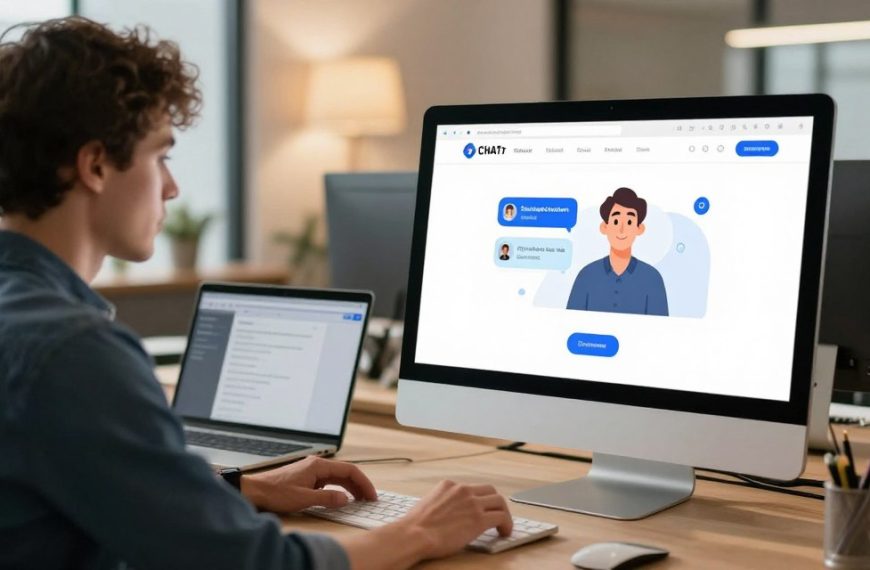


Many AI systems now embed invisible markers, known as watermarks, within the text they generate. These digital signatures act as a form of attribution, helping to identify content created by artificial intelligence. Understanding this digital footprint is the first step towards managing it.
The desire to clean or alter this digital watermark is common, whether for branding, privacy, or content integration purposes. It is important to know that complete removal is a complex technical challenge. The process also involves ethical and legal considerations, such as copyright and terms of service.
This guide offers a balanced, professional analysis of AI content cleaning. We will outline practical steps that can be taken to alter AI-generated text. We will also be clear about the limitations. Our goal is to give you realistic expectations and the knowledge to proceed responsibly.
What Are Chatbot Watermarks and Why Do They Exist?
In the world of artificial intelligence, a watermark is more than a logo. It’s a special mark that shows where AI content comes from. This raises big questions about transparency, who owns what, and how information spreads online.
Defining Digital Watermarks in AI Content
An AI-generated text watermark can be seen in two ways. The first is a clear text tag like “Generated by AI.” The second is a hidden digital fingerprint that’s hard to spot.
Some people see strange characters in chatbot texts. They think these are watermarks from AI companies. But OpenAI says these are just random signs from the AI’s training, not on purpose.
OpenAI has said that odd Unicode characters are not watermarks but just random signs from the AI’s training.
It’s important to know the difference. Real watermarks are on purpose, not just random errors. The table below shows the main differences between these marks.
| Watermark Type | Visibility | Primary Purpose | Common Example |
|---|---|---|---|
| Visible Tag | Obvious to the reader | Immediate user transparency | “Generated by AI” notation |
| Invisible Statistical Pattern | Hidden, detectable by tools | Tracking and verification | Specific word choice patterns |
| Unicode Character Quirk | Visible as odd symbols | Unintended training artefact | Zero-width space characters |
The Primary Reasons for Watermarking
AI companies use these markers for a few main reasons. Each reason tackles a big challenge in using AI in a fair way.
Promoting Transparency with Users
The main reason is AI transparency. By labelling content clearly, people know it’s made by machines. This builds trust and sets the right expectations about the content’s nature and limits.
Combating the Spread of AI-Generated Misinformation
Watermarks are also key in fighting misinformation. In a world full of deepfakes, a traceable digital fingerprint helps track content. This can stop false AI-made stories from spreading too far.
Asserting Intellectual Property and Origin
Lastly, watermarking claims who made the AI content. It’s a way for AI companies to show they own their models’ work. It also helps with licensing and tells the difference between human and AI work in business and law.
The Crucial Legal and Ethical Framework
Deciding to remove a chatbot watermark is not simple. You must first understand the rules. This framework tells you who owns the output, what you can do with it, and the moral side of removing its origin.
Ignoring these rules can lead to big problems. You could face account suspension or legal issues. Knowing these rules is your first defence.
Understanding Ownership of AI-Generated Output
The issue of AI content ownership is complex under copyright law AI. Most places say copyright protects human-made works. But, AI-generated text doesn’t have a clear human author.
This makes things unclear. The platform’s Terms of Service (ToS) usually help. They don’t give you full copyright. Instead, they let you use the output. The provider keeps some rights, like using the content to improve their services.
Trying to remove a watermark might break this licence. It could challenge any ownership claim you think you have. Always check the terms you agreed to.
Key Platform Terms of Service You Must Know
Every major AI platform has its own rules. These rules define your right to use and change the content. Breaking these terms of service can lead to losing access and other penalties.
It’s important to look at the policies of the tool you’re using. Below is a comparison of key clauses from three leading providers.
Analysing Policies from OpenAI, Anthropic, and Google
| Provider | Ownership & Licence Clause | Key Restrictions Relevant to Watermark Removal |
|---|---|---|
| OpenAI (ChatGPT) | OpenAI assigns all its right, title, and interest in the Output to you, subject to your compliance with these Terms. | You may not “misrepresent” Output as human-generated. Use for illegal or fraudulent activity is prohibited. This could encompass stripping attribution to deceive. |
| Anthropic (Claude) | Anthropic grants you a non-exclusive licence to use the Output. Anthropic retains ownership. | The Anthropic policy forbids using Output to violate laws or infringe rights. It also prohibits generating misleading content, which may include hiding AI involvement. |
| Google (Gemini) | Google does not claim ownership of Output. You receive a licence to use it, but Google retains the right to use it. | The Google Gemini terms explicitly ban using the service to create content that is deceptive or fraudulent. Removing watermarks for such purposes is a clear violation. |
Most platforms ban using outputs for misleading or fraudulent purposes. Removing a watermark to hide AI involvement is a clear violation. This gives a clear legal reason for considering any removal method.
The Ethical Consideration: Is Removal Justifiable?
There’s a deeper ethical debate beyond the legal details. When is it okay to remove a watermark? It’s about intent and transparency.
Editing out a “Generated by AI” tag for cleaner formatting is okay. But using that edited text to falsely claim authorship in an academic paper is not. It’s about being honest about where the work came from.
Scenarios help show the difference:
- Academic Work: Most places have rules on academic integrity and AI use. Removing watermarks to pass off AI work as your own is wrong. You must be transparent.
- Journalistic Content: Readers have the right to know where information comes from. Not giving proper content attribution or hiding AI help is dishonest.
- Commercial Marketing: Using AI for ad copy is common. But, not disclosing AI help when authenticity matters is wrong.
As one study on ethical AI use says, always follow your institution’s rules and be transparent. AI should help, not pretend to be human. Your reason for removing the watermark matters.
How to Get Rid of Chatbot Watermark: Preparing for Removal
The first steps to remove watermarks from your content are key. Skipping these steps can lead to poor results or worse. It’s important to understand what you’re dealing with and why you need to change it.
Identifying the Type of Watermark You’re Facing
Your first task is to identify the AI watermark in your text. Watermarks can be either visible or invisible. Knowing which one you have is essential for your removal plan.
Visible watermarks are easy to spot. They include tags like “Generated by AI” or unusual formatting. These are meant to be seen.
Invisible watermarks are harder to find. They use Unicode detection and can include hidden characters. To find these, you need special tools.
Pasting the text into a plain-text editor like Sublime Text can help. These tools show all characters, including hidden ones. Online Unicode analysers can also reveal hidden code points. This step is critical for finding invisible watermarking.
Defining Your Purpose for Removal
After identifying the watermark, you need to know why you want it removed. Your reason affects the methods you can use and the risks involved.
Professionals often aim for formatting cleanup. They might remove awkward line breaks or symbols for a more professional look. This is about making the content look better, not hiding anything.
Creative writers and marketers use AI for content repurposing. They edit and rewrite AI drafts to add their own style. This is a normal part of their work.
Some people want to avoid AI detection. Students might try to pass off AI work as their own, while web publishers might avoid search engine penalties. These actions carry big risks and should be thought through carefully.
Knowing your purpose helps you decide how to proceed. You might need a simple edit, a full rewrite, or decide not to remove it at all.
Manual Editing and Basic Text Manipulation
The first step in systematic text cleaning is using tools in your word processor. While AI is fast, manual editing gives you control and precision. It helps remove visible watermarks and small formatting issues.
This hands-on method is great for one-off projects or when you want to see the changes. Let’s look at the main techniques.
Removing Text-Based Tags with Editing Software
Manual editing means deleting tags like “Generated by AI”. For plain text, this is easy. But, for invisible or special characters, software is better.

Word processors like Microsoft Word and Google Docs have tools to find and replace characters. They can also handle basic image watermarks.
Step-by-Step Guide for Microsoft Word or Google Docs
Here’s how to do a thorough Google Docs cleanup or Word document sanitisation:
- Open the Find and Replace dialog. Use the keyboard shortcut Ctrl+H (Cmd+H on Mac).
- Paste the visible watermark text. In the “Find what” field, paste the exact phrase you wish to remove, like “Generated by OpenAI”. Leave the “Replace with” field blank to delete it entirely.
- Execute a single replacement first. Click “Replace” to see the effect on one instance before using “Replace All”. This prevents accidental over-removal.
- Switch to advanced mode. In Word, click “More >>”. In Google Docs, click the three dots in the search box. Ensure “Match case” is unchecked unless needed.
- Input special character codes. For the narrow no-break space (U+202F), click “Special” in Word or type \u202f in Google Docs’ “Find” field. Replace it with a standard space.
Step-by-Step Guide for Basic Image Editors
For simple logos or text overlays on images, tools like Preview (macOS), Paint (Windows), or free online editors can help:
- Cropping: If the watermark is in a corner or along an edge, use the crop tool to remove that portion of the image entirely.
- Clone Stamp/Healing Brush: In editors like GIMP or Photopea, use these tools to sample a clean area of the image and paint over the watermark. This requires a steady hand for good results.
- Colour Overlay: For solid-colour watermarks on a uniform background, sometimes using a colour picker and brush to match and cover the text can work.
The goal of manual image editing is not to create a perfect forgery, but to cleanly remove a disruptive element for legitimate, ethical use.
Employing Find and Replace for Systematic Changes
To go beyond simple deletions, target hidden characters. AI models use specific Unicode characters for formatting, which can act as a subtle signature.
The powerful tactic is to batch replace characters by their direct Unicode codes. In advanced text editors or the expanded Find and Replace dialog, you can input codes like U+2014 for an em dash (—) or U+200B for a zero-width space.
Creating a checklist of common offenders allows you to run a thorough clean-up operation in one session. The table below lists frequent culprits.
| Character Name | Unicode Code Point | Common Appearance | Recommended Replacement |
|---|---|---|---|
| Narrow No-Break Space | U+202F | Thinner, non-breaking space often in AI output. | Standard Space (U+0020) |
| Em Dash | U+2014 | — (A long dash). Can differ from keyboard input. | Standard Hyphen (-) or two hyphens (–) |
| Left/Right Smart Quotes | U+201C, U+201D | “Curly quotes” instead of straight “typewriter” quotes. | Straight Double Quote (U+0022) |
| Zero-Width Space | U+200B | Invisible character used for line-breaking. | Nothing (Delete entirely) |
| Non-Breaking Space | U+00A0 | Standard space that prevents line breaks. | Standard Space (U+0020) if breaking is desired. |
To use this checklist, open your find and replace function. For each row, input the Unicode code (e.g., ^u202f in Word’s special menu) in the “Find” field and the recommended replacement in the “Replace with” field. Execute “Replace All” for each one. This methodical approach ensures your document uses standard, predictable characters, removing a key layer of AI-generated formatting.
Using AI-Powered Tools for Efficient Removal
Manual text editing can be a chore. Luckily, AI tools offer a smarter way. They can change content at a deep level, removing both text and images with great accuracy.
Leveraging Paraphrasing and Rewriting AI
For text watermarks, changing the text is key. A AI paraphrasing tool is perfect for this. It rephrases sentences, breaking patterns that some detectors look for.
Recommended Tools: QuillBot, Jasper, Writesonic
Several tools excel in text rewriting. QuillBot offers various paraphrasing options. Jasper and Writesonic are great for marketing and blog content.
- QuillBot: Great for formal texts, with detailed control.
- Jasper: Ideal for longer content, keeping your voice.
- Writesonic: Versatile, with templates for specific needs.
Techniques for Preserving Meaning While Altering Text
Just using a paraphraser isn’t enough. To keep your message clear, change sentence structure and use synonyms wisely. Also, rearrange paragraphs to keep your content fresh.
Always review your work after using an AI paraphrasing tool. This ensures your text is smooth and free of awkward phrases.
Erasing Visual Watermarks with Image AI
Removing logos from AI graphics can be tricky. AI inpainting technology solves this. It fills in watermarks with seamless results.
Recommended Tools: Canva Pro, Adobe Firefly, Inpaint
Many tools now offer inpainting. Canva Pro has basic tools for simple edits. Adobe Firefly’s Generative Fill is top-notch for complex tasks.
Inpaint is dedicated to removing watermarks. It uses advanced algorithms for convincing results. The process involves uploading the image, highlighting the watermark, and letting AI do the rest.
This tech is great for removing watermarks from complex backgrounds. But, use these tools responsibly.
Platform-Specific Tips for Major AI Chatbots
AI-generated text needs a special cleaning method for each platform. ChatGPT, Claude, and Google Gemini leave different marks. You must adjust your cleaning techniques for each.
Strategies for ChatGPT’s “Generated by AI” Notation
First, remove the ChatGPT watermark and “Generated by AI” tags. But, the real challenge is with the GPT-4o output and other OpenAI model types.
These models use special Unicode characters as fingerprints. Look out for Em Dashes (—) and “smart” curly quotes (“ ”).
The GPT-4o-mini model adds a Narrow No-Break Space character. This invisible sign is a giveaway.
To remove it, use a powerful editor like Notepad++ or Visual Studio Code. Use Find and Replace to swap these characters for standard ones.
Handling Claude’s Distinctive Output Style
Claude AI output is clear but often too structured. Anthropic Claude formatting is known for being detailed and sometimes too long.
This style can be spotted by advanced detectors. Deleting a footer is not enough.
You need to rewrite the text to change its style. Break long sentences into shorter ones. Use varied and sometimes imperfect phrasing.
The aim is to make the text sound more natural, like it was written by a human.
Working with Google Gemini’s Formatting
Start by removing any direct attribution line when working with Google Gemini (formerly Bard AI). Then, tackle the common AI formatting issues that act as markers.
Gemini outputs often have specific formatting like bullet styles and markdown syntax. These can be tricky to remove.
Paste the text into a plain text editor like Windows Notepad or TextEdit on Mac. This removes all hidden formatting.
Copy the plain text back into your word processor. Then, apply your own formatting to remove any platform-specific signs.
The Technical Limits: What Removal Cannot Achieve
Trying to make AI outputs completely ‘clean’ faces a big problem. Modern watermarking has technical limits. Some tags are made to be hard to remove, even with careful editing.
Knowing these limits is key. It saves time and shows that AI work can often be traced.
Invisible Metadata and Statistical Fingerprints
Removing a “Generated by AI” tag is one thing. But getting rid of AI’s subtle signs is harder. AI detection algorithms look beyond labels, into the text’s core.
These systems check for patterns in word use and sentence length. They find unique statistical fingerprints that are hard to hide. You’d need to rewrite the content from scratch to remove them.
Studies show that AI detection works well even if hidden characters are removed. The underlying statistical patterns stay. Tools like Turnitin and GPTZero can spot these, making simple edits useless.
The Challenge of Deeply Embedded Audio/Video Watermarks
Watermarks in AI-made media are a bigger challenge. In video AI generation and voice cloning, watermarks are hidden in the file itself.
They are embedded in audio or video data at a binary level. Removing them needs special software that can damage the quality. This is less reliable than editing text.
Watermarks are designed to be strong against simple removal. This makes it hard to remove them without harming the media.
Advanced AI Detection and the Arms Race
The field of AI content verification is always changing. It’s a detection arms race. As new ways to remove watermarks appear, detection systems get better.
Companies like Originality.ai keep improving their AI detector models. They catch content that’s been changed or paraphrased. Platforms for checking academic work are also getting better all the time.
This ongoing race means there’s no foolproof way to make AI content completely undetectable. The latest systems can always find it.
The table below shows the big challenges users face, beyond just editing text:
| Watermark Type | Primary Detection Method | Key Removal Challenge |
|---|---|---|
| Statistical Fingerprint | Pattern analysis (e.g., GPTZero) | Requires complete content rewrite; inherent to AI style. |
| Metadata Tags | File header inspection | Can be stripped, but may leave traces in logs or platforms. |
| Embedded Audio Signal | Spectrogram analysis | Needs advanced DSP tools; high risk of quality loss. |
| Embedded Video Frame Data | Pixel-level algorithm scan | Extremely complex; often proprietary and undocumented. |
In conclusion, while you can remove visible markers, there are deeper limits. Understanding the statistical fingerprint and the complexity of embedded watermark systems is key for anyone using AI-generated content.
Navigating Legal Risks and Possible Liabilities
Removing a chatbot watermark is not just a technical task. It can lead to legal troubles. The consequences range from simple penalties to serious lawsuits. It’s important to understand these risks before taking action.
Breach of Contract and Account Termination
The biggest risk is breaking the platform’s terms of service. These contracts often require visible attribution. Removing a watermark is a clear platform policy violation.
Platforms like OpenAI or Anthropic can suspend or terminate your account for this breach of ToS. This account suspension can mean losing access to paid services and project history. It affects not just personal use but also professional settings.
Workplaces have rules for AI tool use. Using de-watermarked content without permission can breach employment contracts. This could lead to disciplinary action or even dismissal, seen as digital misconduct.
Plagiarism and Academic Integrity Violations
In schools, the stakes are very high. Passing off AI-generated work as your own is a clear academic dishonesty. This is true even if you’ve edited the text to remove watermarks.
Consider a student AI use scenario, where a final paper is generated by ChatGPT. Modern plagiarism checker software can spot AI text, even after editing. This is because AI text has unique statistical patterns.
The penalties are harsh. Schools may fail you for the assignment, the whole course, or even expel you. A mark like this can harm your future education and career.
Legal Repercussions for Fraudulent or Commercial Misuse
The biggest risks come from using de-watermarked content to deceive or for unauthorised commercial gain. This crosses into commercial law.
Using AI-generated text or media for fake reviews, documents, or to mislead consumers is fraudulent misrepresentation. Victims can sue for damages. In some places, this could even lead to criminal fraud charges if financial harm is proven.
Also, using AI to create fake product descriptions or marketing copy could lead to AI copyright infringement or unfair competition claims. The original rights holders may sue.
The table below shows misuse scenarios and their legal outcomes:
| Type of Misuse | Potential Legal Claim | Possible Consequences |
|---|---|---|
| Removing watermark to violate platform ToS | Breach of Contract | Account termination, loss of service |
| Submitting cleaned AI text as original academic work | Academic Integrity Violation | Grade penalties, academic probation, expulsion |
| Using AI content to deceive customers in advertising | Fraudulent Misrepresentation / Violation of Consumer Protection Laws | Lawsuits, financial damages, regulatory fines |
| Generating commercial copy that infringes on existing copyrighted material | Copyright Infringement | Injunctions, monetary damages, legal costs |
The act of removal itself is often less legally problematic than the use of the un-attributed content. Your intent and the context of use define the risk level. Ignoring these risks is a gamble with your reputation, finances, and legal standing.
Best Practices for Professional and Ethical Use
To keep your reputation strong, using AI wisely is key. This section shows how to use AI in a way that keeps your good name safe. It follows the latest professional standards.
Setting clear ethical guidelines is not about limiting what you can do. It’s about building trust with everyone you work with. By being open about how you use AI, you make it a valuable team player.
Scenarios Where Disclosure is Non-Negotiable
In some fields, being open is essential. This is because trust, accuracy, and honesty are vital. If you don’t share how AI helped, your credibility could suffer.
There are times when you must tell people about AI’s role. This is true when what you do affects decisions, health, legal matters, or public trust. Here are some situations where you should always share about AI.
| Scenario | Primary Rationale | Recommended Disclosure Level |
|---|---|---|
| Academic Submissions (if permitted by institution) | Upholds academic integrity and allows proper assessment of original thought. | Explicit statement citing the AI tool used and describing the nature of assistance. |
| Journalistic Content & News Reporting | Maintains public trust and fulfills the journalistic duty of transparency about sources. | Clear attribution within the article, often in an author’s note or methodology section. |
| Legal Documents & Submissions | Critical for due process; legal arguments must be the product of professional judgment. | Mandatory disclosure to the court or client, as required by professional conduct rules. |
| Medical or Health Advice | Patient safety is the priority; information must be verified by a qualified professional. | Any AI-generated draft must be prominently flagged as unverified and subject to clinical review. |
| Client-Facing Commercial Proposals | Builds honest client relationships and manages expectations about service delivery. | Statement on how AI tools supported research or drafting, emphasising final human oversight. |
How to Attribute AI Assistance Correctly
Proper AI attribution is more than just giving credit. It shows how humans and machines work together. This approach to acknowledging AI help shows you’re careful and professional.
Be clear, simple, and honest. Don’t say “created with AI” without explaining how. Tell people the exact role of the AI tool.
Here are some examples to start with for citing ChatGPT and other tools:
- For drafted content: “A preliminary draft of this document was generated using [AI Tool Name]. It has been substantially edited, fact-checked, and approved by the author.”
- For research assistance: “The research for this section was aided by [AI Tool Name] for initial information gathering. All sources and conclusions were verified independently.”
- For brainstorming: “Ideas for this project were developed in collaboration with [AI Tool Name] during the conceptual phase. The final output is the author’s own work.”
Put this information where it’s easy to see. It could be in a footnote, a sidebar, or at the end. The most important thing is to be consistent.
Creating an Organisational Policy for AI Content
For teams and companies, not having a plan for AI use is risky. A clear company AI policy sets rules and makes AI a controlled resource. Experts say following these rules is key to using AI responsibly.
A good AI use policy should cover a few main points. It helps staff and protects the company.
- Define Acceptable Use Cases: Say which departments and tasks are okay for AI tools. For example, marketing for ideas, but not legal for contracts without a review.
- Mandate Disclosure Levels: Set clear rules for when and how to share AI help. This is important for client work, public content, and internal reports.
- Specify Approved Tools: List trusted AI platforms that meet your standards. Don’t let staff use unapproved tools.
- Set Rules for Client-Facing Work: Make sure any AI-assisted work for clients includes a transparency statement, as defined in the policy.
- Outline Training Requirements: Make sure staff know how to use AI tools and understand the ethics and legal risks.
Having such a policy shows leadership. It promotes a culture of transparent AI use and helps avoid legal and reputation problems.
Looking Ahead: The Future of AI Watermarking
Industry groups and regulators are shaping the future of watermarking. They want to make it a must-have tool for proving content’s origin. The focus is moving from just removing watermarks to building a digital trust system.

Emerging Technologies in Watermarking and Detection
Visible tags and metadata are just the start. The future of watermarking involves techniques that are part of the content itself. Neural watermark techniques are being developed. They are hidden signals added during AI creation, making them hard to remove without damaging the content.
Standards for content provenance are becoming more common. The C2PA standard (Coalition for Content Provenance and Authenticity) is a key example. It adds tamper-evident metadata to files, proving their origin and any changes. This is a step towards more trustworthy digital media.
The table below shows the difference between old and new watermarking methods:
| Feature | Traditional Watermarking | Emerging Provenance Tech |
|---|---|---|
| Visibility | Often visible or in metadata | Largely invisible, embedded |
| Removability | Relatively easier to strip | Extremely difficult without corruption |
| Primary Goal | Branding or simple attribution | Verifiable authenticity and history |
| Industry Adoption | Platform-specific | Cross-industry standard (e.g., C2PA) |
Considering Watermarks for Your Own AI-Assisted Work
Think differently about watermarks when using AI tools. Instead of removing them, consider adding a watermark to your work. This helps you claim ownership and show your work’s uniqueness.
For professionals, this approach has many benefits. It highlights the human touch in AI-assisted work. It also protects your brand and materials. Simple steps include adding a copyright notice or using metadata to show your role.
This approach turns watermarking into a tool for establishing your authority and the value of your work.
Staying Compliant with Evolving Regulations
The rules around AI regulation are getting clearer, making compliance key. The EU AI Act is a big example. It will require transparency for certain AI-generated content, possibly through watermarks.
To stay ahead, keep an eye on the EU AI Act and other guidelines. The best strategy is to be adaptable and informed. Develop clear policies for when and how to disclose AI use, meeting ethical and legal standards.
The future of watermarking is about more than just advanced security. It’s about creating a clear chain of content provenance and following AI regulation rules. Understanding this is vital for anyone involved in digital content.
Conclusion
This journey has helped us understand the truth about chatbot watermarks. It’s about knowing what you can change and what you can’t.
It’s important to know what you can do. You can edit visible tags or use tools to remove invisible Unicode characters. This is shown in analyses of invisible Unicode characters. You can also change the text’s surface with advanced paraphrasing.
But, some things are hard to change. Statistical fingerprints left by models like ChatGPT or Claude are almost impossible to remove fully.
The main lessons are not just about how to do things. It’s also about why you’re doing them. Is it right to remove watermarks? Legal and ethical issues are real, like breaking terms of service or cheating in school.
At the heart of it all is using AI responsibly. See AI chatbots as tools to help, not to replace you. Use them to boost your creativity and work, not to hide your efforts. This way, you use AI’s power while keeping your work honest and trustworthy.
FAQ
What exactly is a watermark in AI-generated content?
In AI, a watermark is a marker that shows where the content came from. It can be a visible tag, like “Generated by AI”. Or it can be an invisible marker. Invisible markers are subtle patterns or special Unicode characters that aren’t easy to spot.
Why do companies like OpenAI and Google add watermarks to AI content?
Companies add watermarks for a few reasons. They want to be transparent about the content’s source. They also want to combat misinformation and deepfakes. And they need a digital claim of origin for copyright and licensing.
Is it illegal to remove an AI watermark?
It’s not always clear if removing a watermark is illegal. It depends on the Terms of Service (ToS). Most ToS say you can use the output but not for fraud. Removing attribution to deceive others might break these rules.
What is the most common type of invisible text watermark I should look for?
Look out for non-standard Unicode characters. These can be formatting errors, not intentional watermarks. Tools like Notepad++ or Unicode revealer tools can spot them.
Can I use a paraphrasing tool to remove an AI watermark?
Yes, tools like QuillBot or Jasper can help. They change the text’s “fingerprint” by altering word choice and sentence structure. But, they might not fool all AI detectors.
How do I remove a visual watermark from an AI-generated image?
Use AI-powered inpainting tools for images. Tools like Adobe Firefly’s Generative Fill or Stable Diffusion’s inpainting can remove watermarks by filling in the space.
What makes content from Claude or ChatGPT detectable after I remove the tags?
These models leave a statistical signature. This includes patterns in word frequency and sentence length. Tools like Originality.ai can detect these patterns, making it hard to erase them completely.
What are the biggest risks of using de-watermarked AI content in a business?
The main risks include breach of contract and account termination. Using it to deceive customers can lead to lawsuits for fraud or misrepresentation. It can also damage your brand if found out.
When must I disclose that I used AI to create content?
You must disclose AI use in high-stakes situations. This includes academic work, journalism, legal documents, and marketing. It’s about keeping things authentic and trustworthy.
What does the future hold for AI watermarking technology?
The future looks bright for AI watermarking. We’ll see more advanced, neural network-based watermarks. Standards like the Coalition for Content Provenance and Authenticity (C2PA) are becoming more common. And soon, the EU AI Act might require disclosure for certain AI content.


 By
By